








Quick tour of PostHog Code
PostHog Code is a desktop coding agent that understands your product and business, not only your source code. Here's a quick tour of how it works.
Start your first task
A task is the unit of work in PostHog Code. Type a prompt, choose where the agent should work, and send it off.
Tasks persist across restarts, can move between your computer and the cloud, and stay tied to a specific repository.
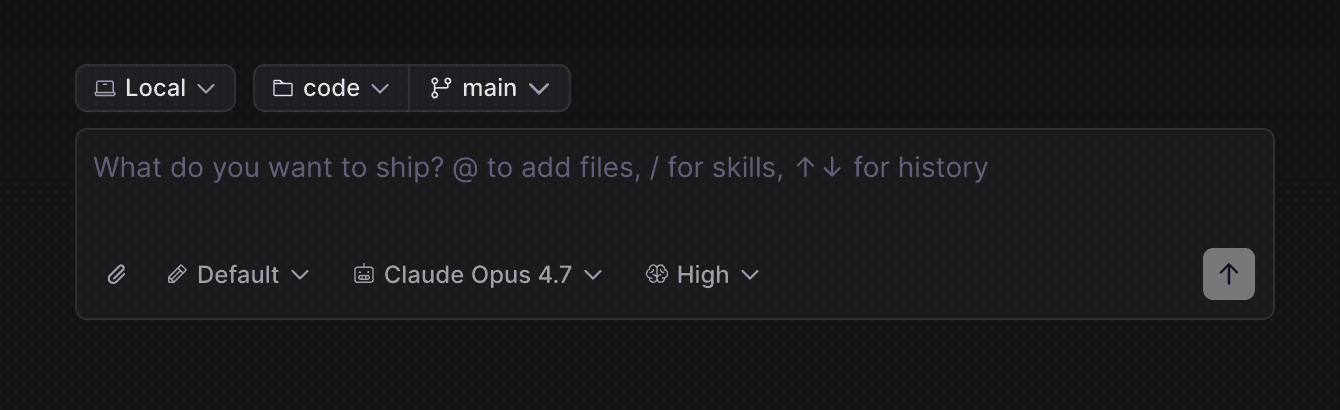
| Mode | Where it runs | Best for |
|---|---|---|
| Cloud | PostHog-managed sandbox | Long-running tasks you want to walk away from |
| Local | Your computer, current branch | Quick, focused changes |
| Worktree | Your computer, dedicated branch and folder | Parallel work on the same repo |
Give the agent PostHog context
PostHog Code can reason with product data while it works. As you write code or stage a diff, the enricher detects PostHog SDK calls and pulls live data from your project.
That gives the agent context like flag rollouts, experiment status, event volume, and error frequency next to the code that emits them.
You can ask the agent product-aware questions that cut across PostHog:
Product Analytics
"Are we capturing the right events for this new feature roll out, and can we compare adoption to what we shipped before?"
Error Tracking
"This error keeps showing up in production. What's the impact on conversion and revenue? Should we fix it now or defer it?"
Feature Flags
"Can you add a feature flag to the new checkout page, implement isFeatureEnabled, and roll it out to everyone with an @example.com email first?"
Experiments
"Can you scaffold an experiment with variants, a traffic split, and goal metrics so we can measure this change properly?"
Ship your first PR
Every task has a built-in diff panel. Use it to read edits side by side, leave inline feedback, manage staged files, and follow up on PR comments without leaving the app.
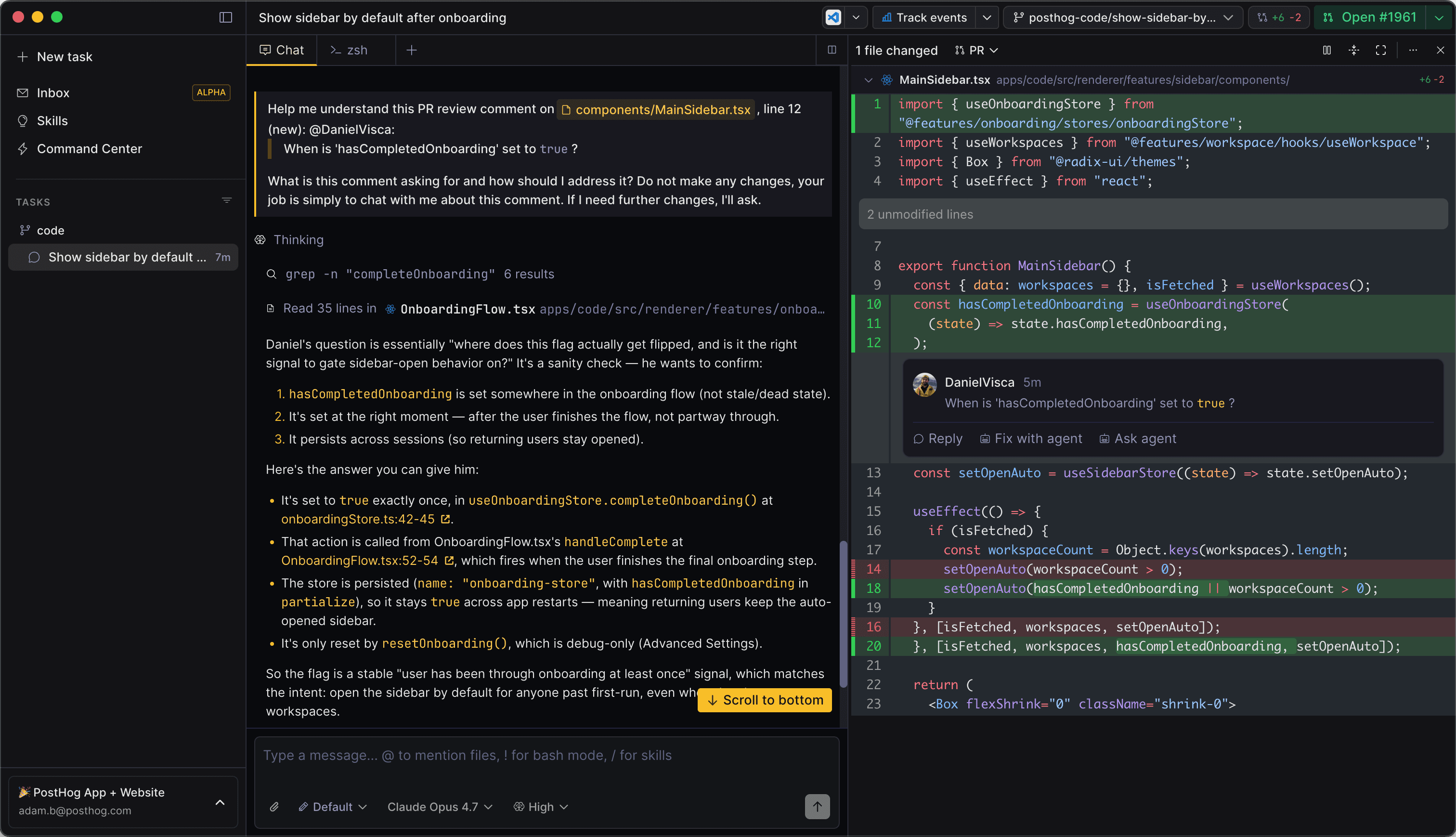
When you're happy, click Create PR. PostHog Code commits, pushes, generates a title and body that respect your repo's PULL_REQUEST_TEMPLATE.md, and opens the PR through the GitHub CLI.
Run agents in parallel
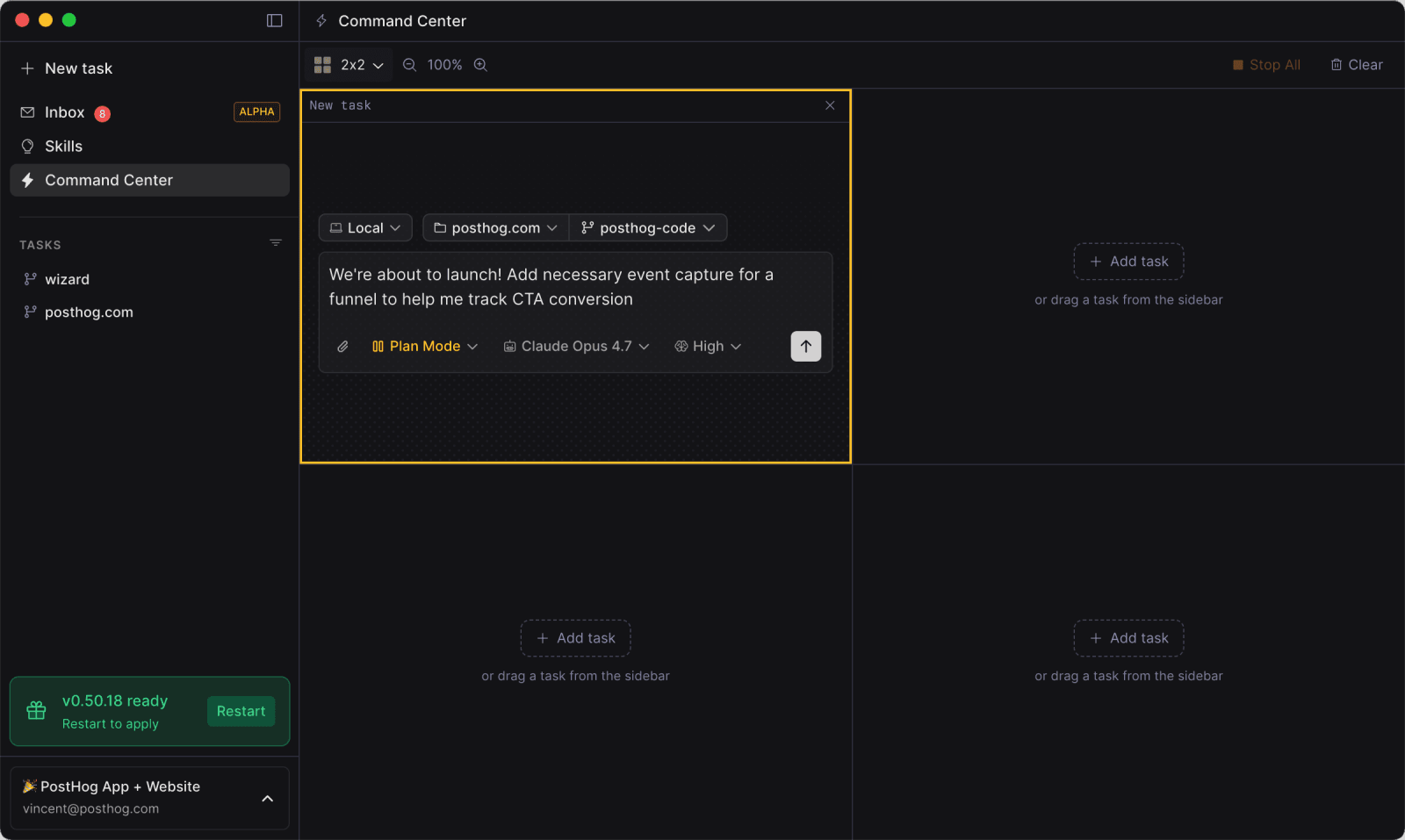
Open Command Center to run multiple agent sessions side by side. Each cell is an independent task with its own conversation, branch, and workspace.
Use it to plan several features in parallel, fan out a batch of small fixes, or watch a long cloud run while you work locally on something else.
Hand work to the cloud
Cloud runs put tasks in sandboxes managed by PostHog. Close the app, switch networks, or shut your laptop, and the agent keeps going.
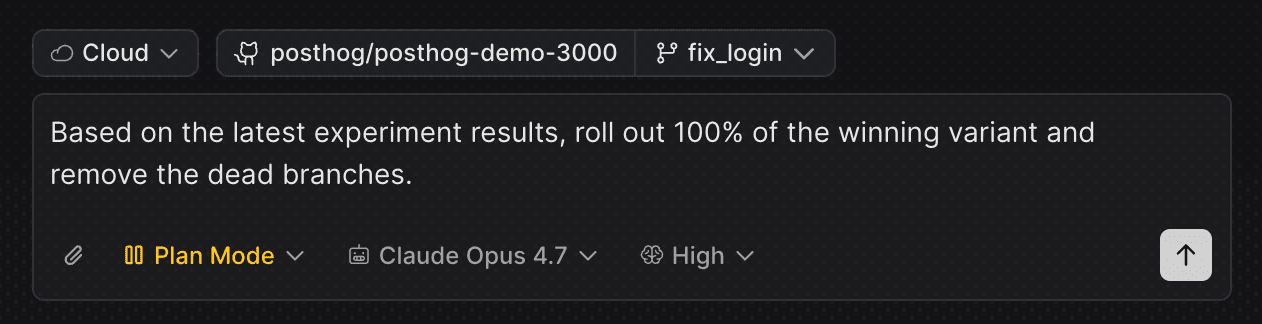
When you're ready, hand the task back to local for review. PostHog Code brings over the changes, branch, and conversation history.
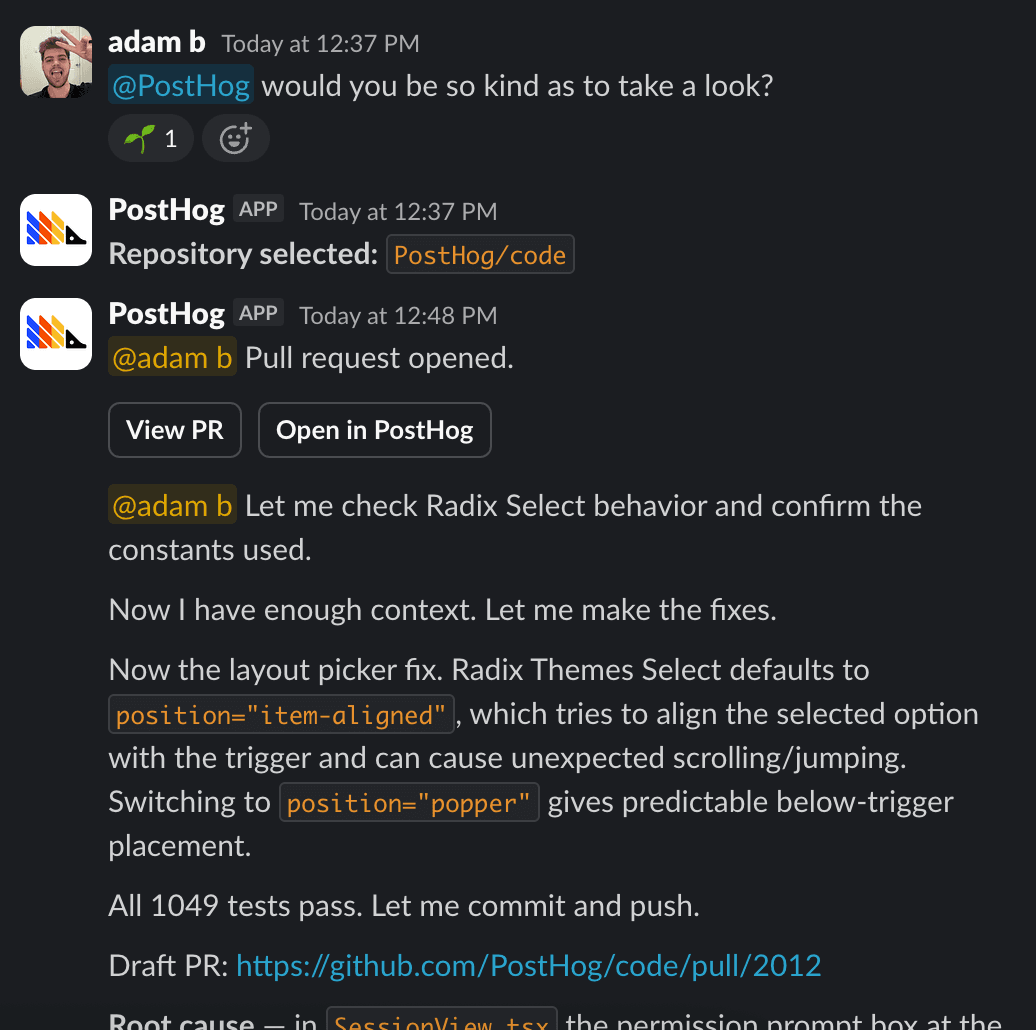
Kick off tasks from Slack
Mention @PostHog in any Slack channel, describe what you want done, and the agent picks up the work. It replies in-thread as it runs.
This is useful for fixes that come up while you're away from your computer or when a teammate spots something that should become a coding task.
Let Inbox open PRs for you
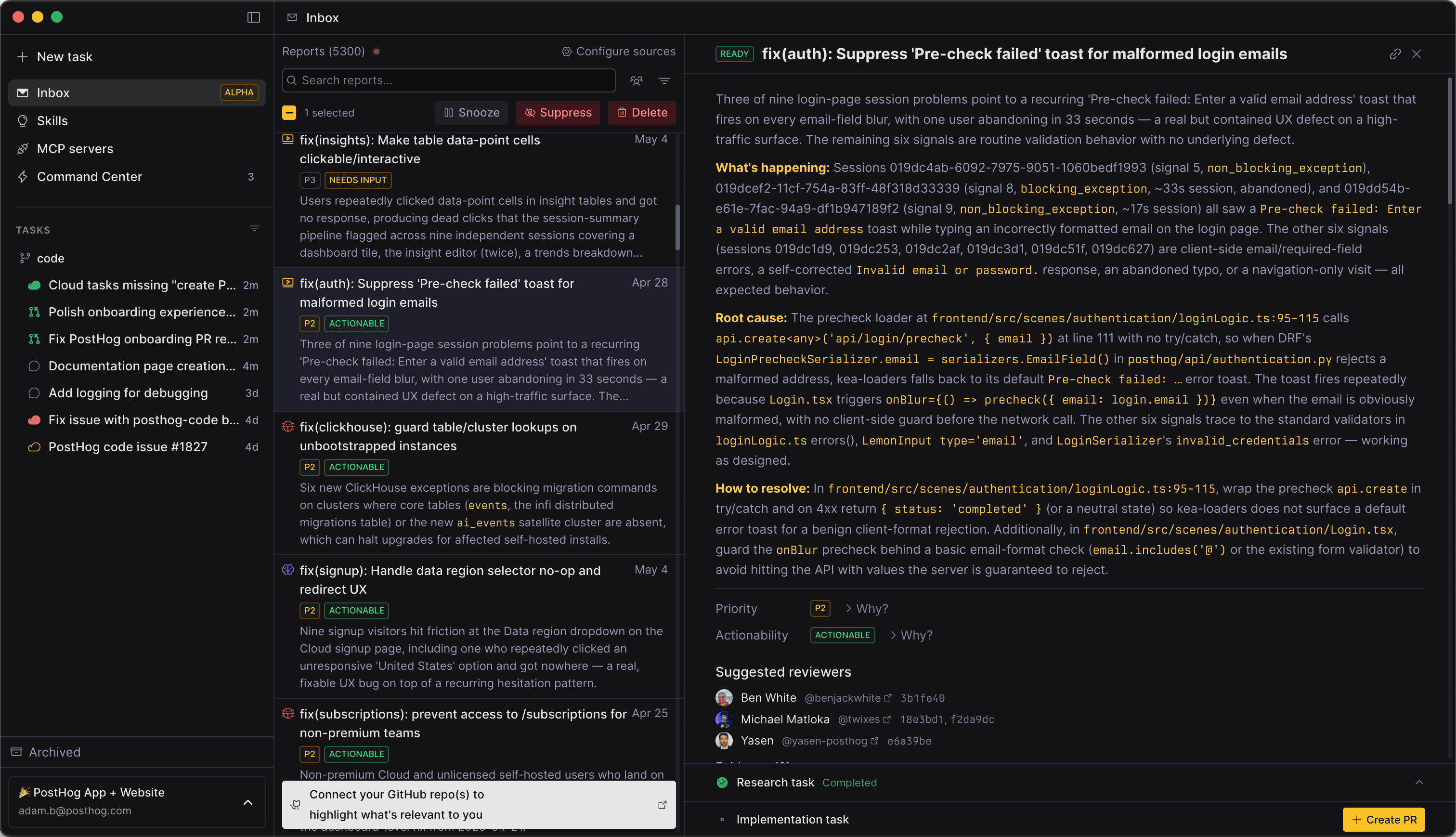
Inbox is the autopilot version of PostHog Code. Connect signal sources like Error Tracking, Support tickets, Session Replay, GitHub issues, or Linear issues.
PostHog Code researches each new signal, prioritizes it by user impact, and opens a PR when a code fix is possible. Your job is to review and merge.
Try PostHog Code
Ready to take it for a spin? Download PostHog Code and connect your first repo. PostHog Code will be available for download in Spring 2026.